# Home 24 - Bicycle

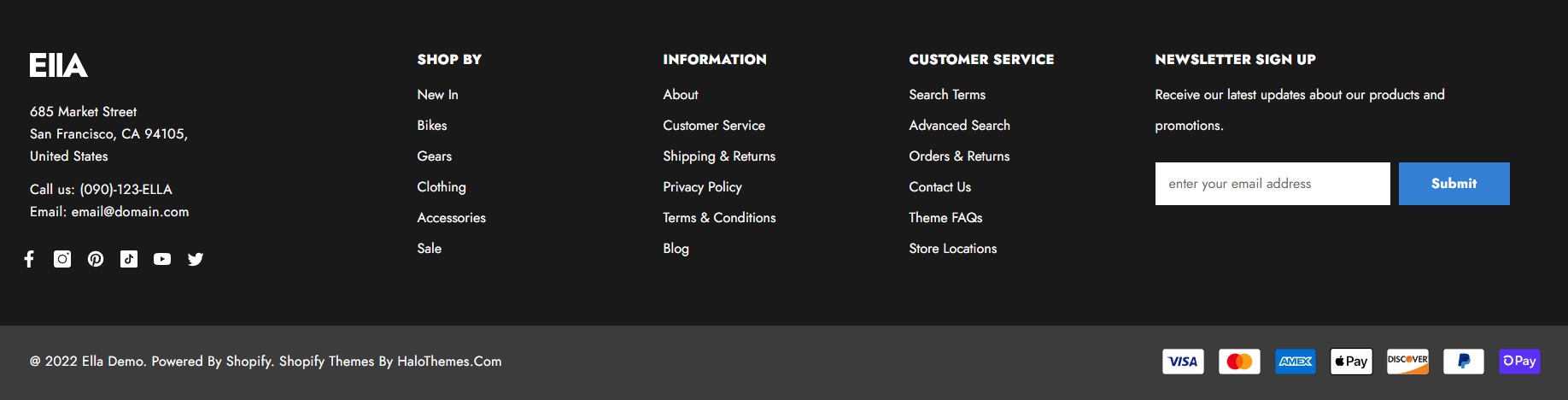
<figure><img src="https://3284033180-files.gitbook.io/~/files/v0/b/gitbook-x-prod.appspot.com/o/spaces%2Fag3h7ZduRGWlquTgGUHi%2Fuploads%2FWPr2c5mrfUsfoBwEq0Rw%2Ffooter-24.jpg?alt=media&#x26;token=5e499f48-664f-4756-a54a-30dd1c78fabd" alt=""><figcaption><p><a href="https://new-ella-demo-11.myshopify.com/?fts=0&#x26;preview_theme_id=124314583091">Home 24 - Bicycle</a></p></figcaption></figure>

► To setup Footer Home 24 - Bicycle, you need to add the **Footer 01** section to the **FOOTER GROUP**.

1. From your Shopify admin, go to **Online Store** -> **Themes**.
2. Find the theme that you want to edit, and then click **Customize**.&#x20;
3. At the **FOOTER GROUP ->** click **+** **Add section**.
4. Search and select **Footer 01** section.

<figure><img src="https://3284033180-files.gitbook.io/~/files/v0/b/gitbook-x-prod.appspot.com/o/spaces%2Fag3h7ZduRGWlquTgGUHi%2Fuploads%2FOuLaXiaFR8xfbRLeMtu3%2Ffooter-18-setting.jpg?alt=media&#x26;token=79a6c036-3284-432f-bbe9-bc31156b7646" alt=""><figcaption></figcaption></figure>

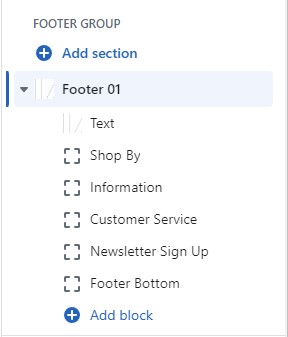
► In the **Footer 01** section settings. Add or adjust these blocks as your need:

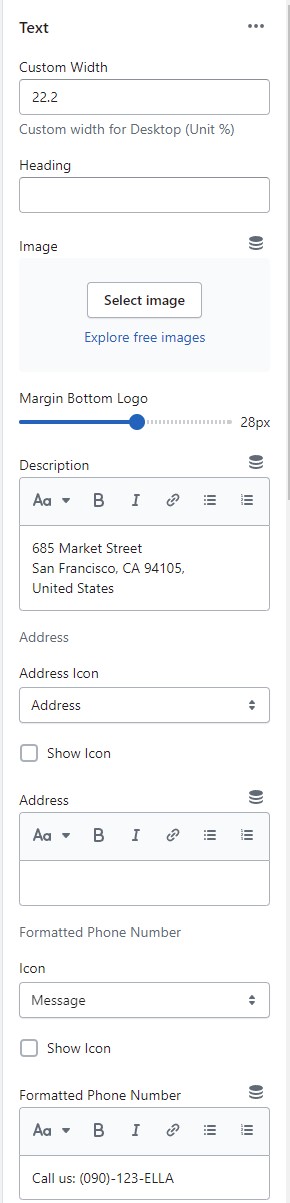
1. **Text** block: Limit 2. The block allows you to upload logo image, address, phone and emails with icons.

<figure><img src="https://3284033180-files.gitbook.io/~/files/v0/b/gitbook-x-prod.appspot.com/o/spaces%2Fag3h7ZduRGWlquTgGUHi%2Fuploads%2F5TrZeqaIO3PZ351i9WKs%2Ffooter-1-setting-8.jpg?alt=media&#x26;token=24ac04bb-bbf1-4e9a-96af-dc50509c506b" alt=""><figcaption></figcaption></figure>

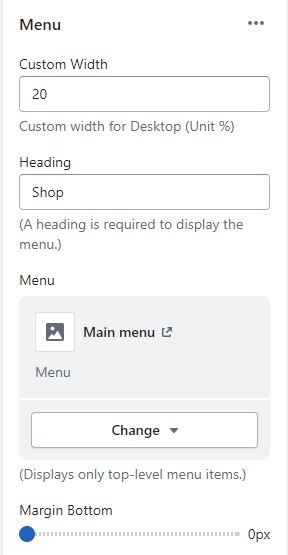
2. **Menu** block: Limit 4. The settings are for the block width, heading, and menu selection for menu.

<figure><img src="https://3284033180-files.gitbook.io/~/files/v0/b/gitbook-x-prod.appspot.com/o/spaces%2Fag3h7ZduRGWlquTgGUHi%2Fuploads%2FtRhAnaZ7wdmieczD8xWW%2Ffooter-1-setting-2.jpg?alt=media&#x26;token=a78a6ce3-41b8-466d-b4a1-f55b5edcc5f0" alt=""><figcaption></figcaption></figure>

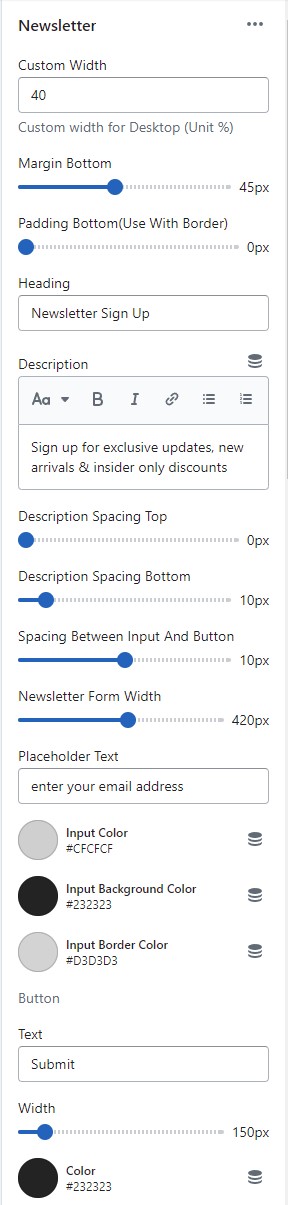
3. **Newsletter** block: Limit 1.&#x20;

* The settings are for the block width, heading, description, button text along with their colors, spacing, background color.&#x20;

<figure><img src="https://3284033180-files.gitbook.io/~/files/v0/b/gitbook-x-prod.appspot.com/o/spaces%2Fag3h7ZduRGWlquTgGUHi%2Fuploads%2FFEFZPuDqAHwkciCpLAh3%2Ffooter-1-setting-3.jpg?alt=media&#x26;token=510f35e2-1aec-4beb-93dd-4e8ba664fe4c" alt=""><figcaption></figcaption></figure>

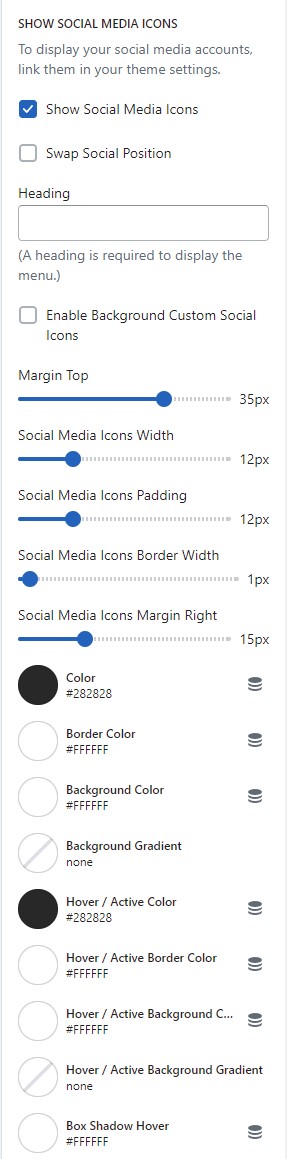
* At the bottom half of the settings, there are also settings for Social Media icons. Enable or swap the position with the newsletter as you prefer.

<figure><img src="https://3284033180-files.gitbook.io/~/files/v0/b/gitbook-x-prod.appspot.com/o/spaces%2Fag3h7ZduRGWlquTgGUHi%2Fuploads%2FN8LSpp6U2Os3V1USXtDj%2Ffooter-1-setting-4.jpg?alt=media&#x26;token=942496f4-32d7-439f-b66e-6b8acf106f7a" alt=""><figcaption></figcaption></figure>

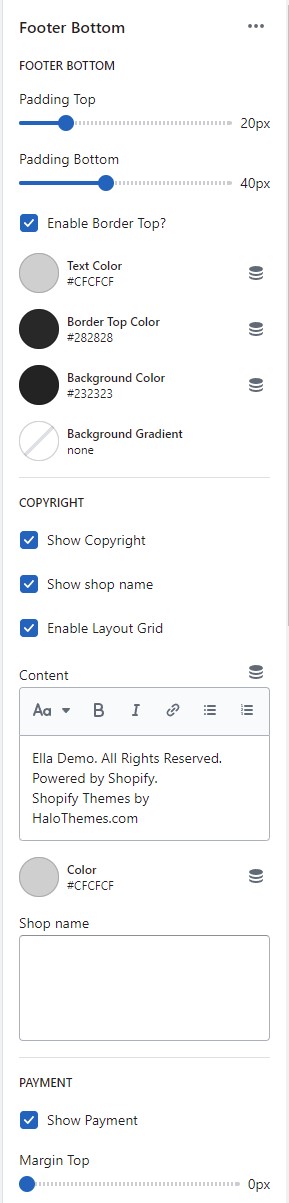
4. **Footer Bottom** block: Limit 1. The settings are for copyright and payment methods with their positions choice.

<figure><img src="https://3284033180-files.gitbook.io/~/files/v0/b/gitbook-x-prod.appspot.com/o/spaces%2Fag3h7ZduRGWlquTgGUHi%2Fuploads%2FWTqd4vCeg8r2APFaz9mp%2Ffooter-1-setting-5.jpg?alt=media&#x26;token=5b4b426e-83e7-42fd-a3e1-be68fbb23f60" alt=""><figcaption></figcaption></figure>

## Upload Settings For Footer

<mark style="color:red;">To set up data for Footer Home 24 - Bicycle, please follow below instruction:</mark>

1. Click the [file to download](https://halosoft.gitbook.io/ella-documentation/footer/footer-layout/home-24-bicycle#preset-for-footer-home-24-bicycle)[ ](https://app.gitbook.com/s/ag3h7ZduRGWlquTgGUHi/~/changes/453/footer/new-footer-section-group-layout/layout-01#preset-for-footer-layout-01)the corresponding *"json"* of the layout you want to open the data on a new tab.
2. **SELECT ALL** and **COPY**.
3. From your Shopify admin, go to **Themes** **->** **Actions** **->** **Edit Code.**
4. Find folder **Sections** **->** Open file **footer-group.json** **->** **SELECT ALL** and **DELETE** then **PASTE** the copied preset from the external file.

<figure><img src="https://3284033180-files.gitbook.io/~/files/v0/b/gitbook-x-prod.appspot.com/o/spaces%2Fag3h7ZduRGWlquTgGUHi%2Fuploads%2FRPtqwgG6ABSZWhqME4z6%2Ffooter-group-edit.jpg?alt=media&#x26;token=4d3b1071-06c8-4f29-b2cb-cf36a84c9363" alt=""><figcaption></figcaption></figure>

## Preset for **Footer** Home 24 - Bicycle
<table><thead><tr><th width="372">Home Page</th><th data-type="files">Json (with .json format)</th></tr></thead><tbody><tr><td><a href="https://new-ella-demo-11.myshopify.com/?fts=0&#x26;preview_theme_id=124314583091">Home 24 - Bicycle</a></td><td><a href="https://3284033180-files.gitbook.io/~/files/v0/b/gitbook-x-prod.appspot.com/o/spaces%2Fag3h7ZduRGWlquTgGUHi%2Fuploads%2FtQJRoUzy3dlzdp6DO4sG%2Ffooter-group-24.json?alt=media&#x26;token=7f31e009-111f-479d-b145-91ae9a193563">footer-group-24.json</a></td></tr></tbody></table>