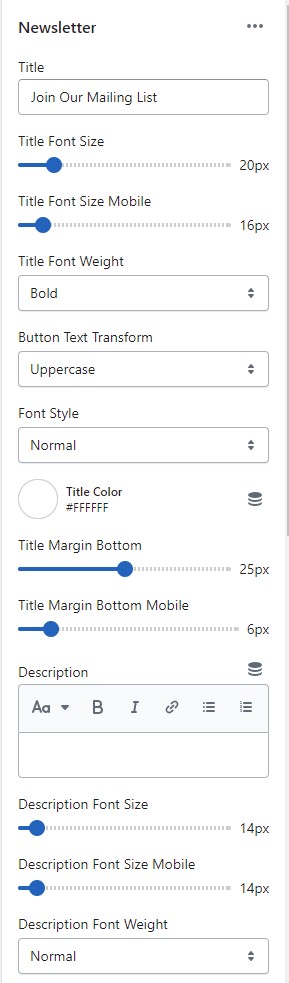
► To setup Footer Home 17 - Gym, you need to add the **Newsletter** and **Footer 01** sections to the **FOOTER GROUP**.
1. From your Shopify admin, go to **Online Store** -> **Themes**.
2. Find the theme that you want to edit, and then click **Customize**.
3. At the **FOOTER GROUP ->** click **+** **Add section**.
4. Search and select **Newsletter** section.
5. Same for **Footer 01** section to add.
► In the **Newsletter** section settings. Add or adjust **Newsletter** block as your need:
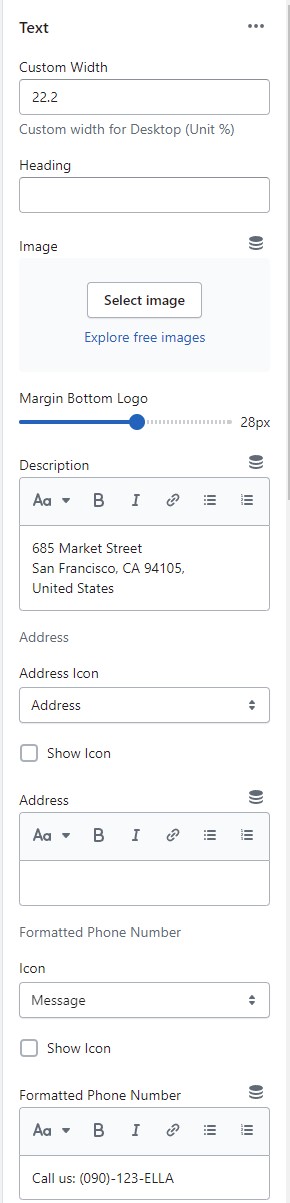
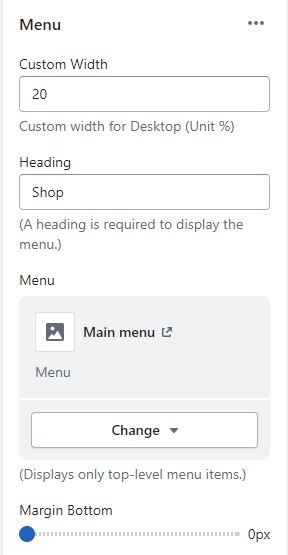
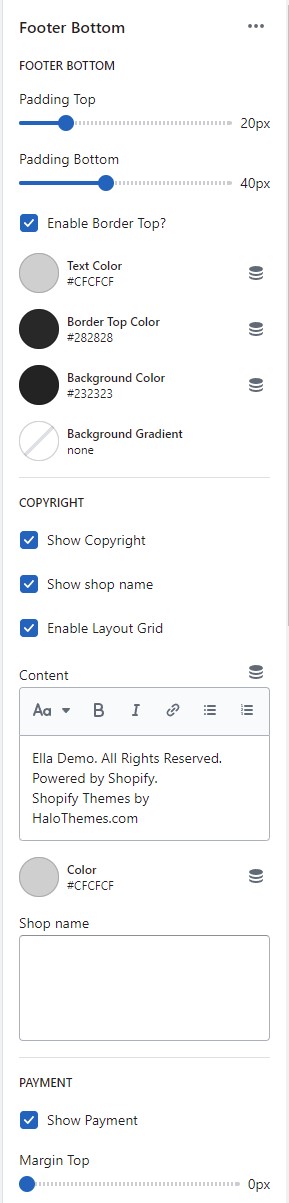
► In the **Footer 01** section settings. Add or adjust these blocks as your need:
1. **Text** block: Limit 2. The block allows you to upload logo image, address, phone and emails with icons.
2. **Menu** block: Limit 4. The settings are for the block width, heading, and menu selection for menu.
3. **Footer Bottom** block: Limit 1. The settings are for copyright and payment methods with their positions choice.
## Upload Settings For Footer
To set up data for Footer Home 17 - Gym, please follow below instruction:
1. Click the [file to download](https://halosoft.gitbook.io/ella-documentation/footer/footer-layout/home-17-gym#preset-for-footer-home-17-gym)[ ](https://app.gitbook.com/s/ag3h7ZduRGWlquTgGUHi/~/changes/453/footer/new-footer-section-group-layout/layout-01#preset-for-footer-layout-01)the corresponding _"json"_ of the layout you want to open the data on a new tab.
2. **SELECT ALL** and **COPY**.
3. From your Shopify admin, go to **Themes** **->** **Actions** **->** **Edit Code.**
4. Find folder **Sections** **->** Open file **footer-group.json** **->** **SELECT ALL** and **DELETE** then **PASTE** the copied preset from the external fil
## Preset for **Footer** Home 17 - Gym