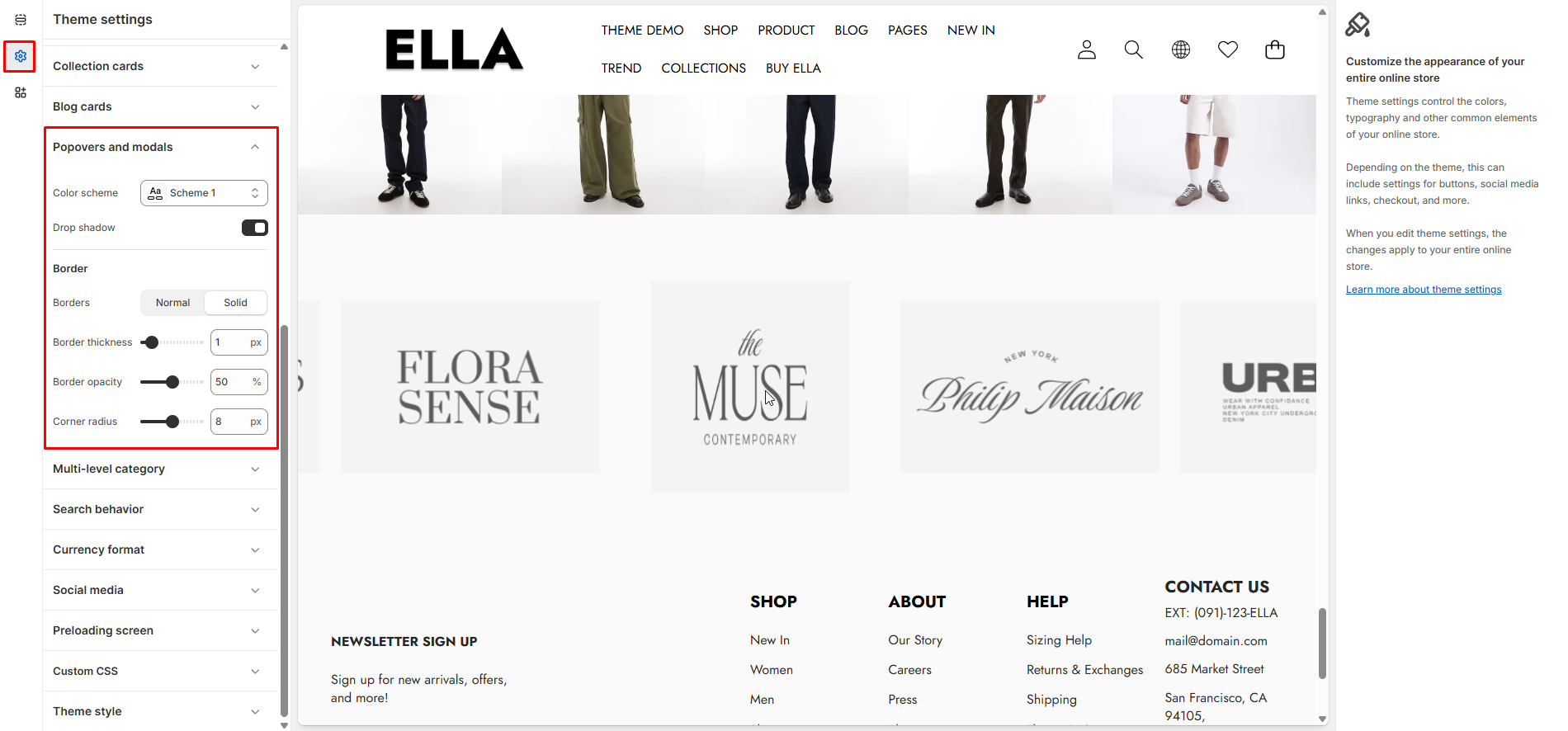
# Popovers and Modals
Configure appearance for popovers and modals used across the site, including color scheme, border and shadow options.
1. From your Shopify admin, go to **Online Store ->** **Themes**.
2. Find the theme that you want to edit, and then click **Customize**.
3. Click **Theme settings ->** **Popovers and Modals.**
### Popovers and Modals Settings
| Settings | Type | Default | Description |
| ---------------------- | ------------- | -------- | ----------------------------------------------------- |
| Popover Color Scheme | color\_scheme | scheme-1 | Color scheme applied to popovers and modals. |
| Popover Drop Shadow | checkbox | true | Toggle drop shadow for popover/modal boxes. |
| Popover Border | select | solid | Border style for popovers/modals (none/solid/dashed). |
| Popover Border Width | range | 1 | Border width applied when border is enabled. |
| Popover Border Opacity | range | 50 | Opacity percentage for the popover border. |
| Popover Border Radius | range | 8 | Corner radius for popover/modal boxes. |
### Need More Help?
If you experience any difficulties or require extra support with your Ella theme, feel free to contact our support team through our [Ticket System](https://halosoft.ticksy.com/) — we’ll get back to you within 24 hours.
Simply scan the QR code below to join our Facebook community and stay updated with the latest news, tips, and announcements.