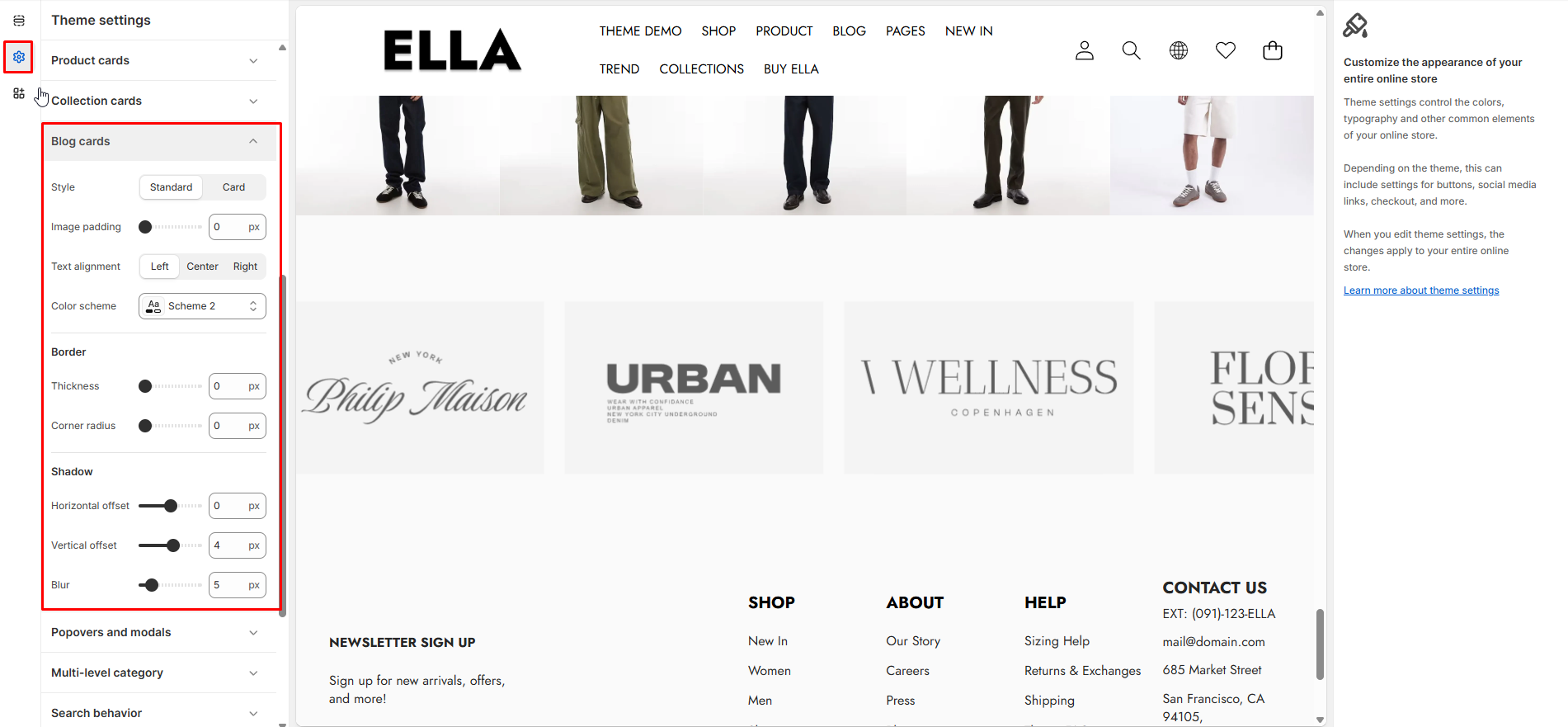
# Blog Cards
Configure styling for collection cards used to showcase collections. Adjust image padding, text alignment and decoration like borders/shadows.
1. From your Shopify admin, go to **Online Store ->** **Themes**.
2. Find the theme that you want to edit, and then click **Customize**.
3. Click **Theme settings ->** **Blog Cards.**
### Blog Cards Settings
| Settings | Type | Default | Description |
| ---------------------------------- | ------------- | -------- | --------------------------------------- |
| Blog Card Style | select | standard | Visual style for blog cards. |
| Blog Card Image Padding | range | 0 | Padding around the blog image. |
| Blog Card Text Alignment | select | left | Text alignment inside the blog card. |
| Blog Card Color Scheme | color\_scheme | scheme-2 | Color scheme applied to blog cards. |
| Blog Card Border Thickness | range | 0 | Border thickness for blog cards. |
| Blog Card Corner Radius | range | 0 | Corner radius for blog cards. |
| Blog Card Shadow Horizontal Offset | range | 0 | Horizontal offset for blog card shadow. |
| Blog Card Shadow Vertical Offset | range | 0 | Vertical offset for blog card shadow. |
| Blog Card Shadow Blur | range | 0 | Blur radius for blog card shadow. |
### Need More Help?
If you experience any difficulties or require extra support with your Ella theme, feel free to contact our support team through our [Ticket System](https://halosoft.ticksy.com/) — we’ll get back to you within 24 hours.
Simply scan the QR code below to join our Facebook community and stay updated with the latest news, tips, and announcements.