> For the complete documentation index, see [llms.txt](https://halosoft.gitbook.io/ella-7-documentation/llms.txt). Markdown versions of documentation pages are available by appending `.md` to page URLs; this page is available as [Markdown](https://halosoft.gitbook.io/ella-7-documentation/theme-settings/global-features/variant-pills.md).
# Variant Pills
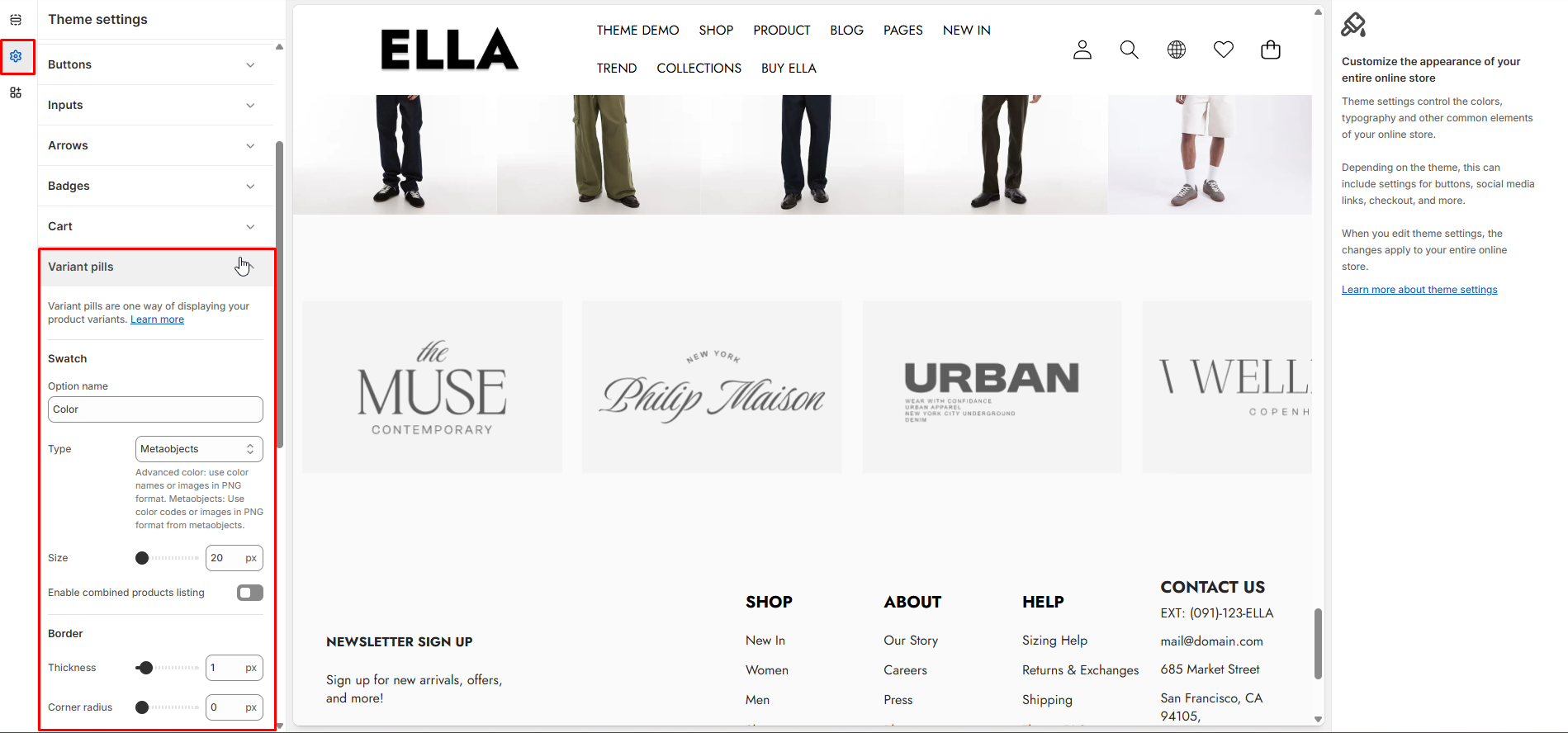
Settings for variant swatches/pills including type, size and visual styling. Use these to change how product variants are displayed and selectable.
1. From your Shopify admin, go to **Online Store ->** **Themes**.
2. Find the theme that you want to edit, and then click **Customize**.
3. Click **Theme settings ->** **Variant Pills.**
### Variant Pills Settings
| Settings | Type | Default | Description |
| -------------------------------------- | --------- | ------- | ---------------------------------------------------- |
| Paragraph | paragraph | | UI-only paragraph separator in variant settings. |
| Header | header | | UI-only header label in the variant section. |
| Swatch | text | Color | Label text shown for swatch group (default: Color). |
| Swatch Type | select | color | Choose swatch rendering mode: color, image, text. |
| Variant Swatch Size | range | 44 | Diameter/size (px) of swatch/pill UI elements. |
| Enable Combined Products Listing | checkbox | false | Enable listing combined products for variant groups. |
| Variant Pills Border Thickness | range | 1 | Border thickness for swatch/pill elements. |
| Variant Pills Radius | range | 40 | Corner radius for pill-style variant controls. |
| Variant Pills Shadow Horizontal Offset | range | 0 | Horizontal shadow offset for variant pills. |
| Variant Pills Shadow Vertical Offset | range | 0 | Vertical shadow offset for variant pills. |
| Variant Pills Shadow Blur | range | 0 | Blur radius for variant pill shadows. |
### Need More Help?
If you experience any difficulties or require extra support with your Ella theme, feel free to contact our support team through our [Ticket System](https://halosoft.ticksy.com/) — we’ll get back to you within 24 hours.
Simply scan the QR code below to join our Facebook community and stay updated with the latest news, tips, and announcements.