> For the complete documentation index, see [llms.txt](https://halosoft.gitbook.io/ella-7-documentation/llms.txt). Markdown versions of documentation pages are available by appending `.md` to page URLs; this page is available as [Markdown](https://halosoft.gitbook.io/ella-7-documentation/other-pages/404-page.md).
# 404 page
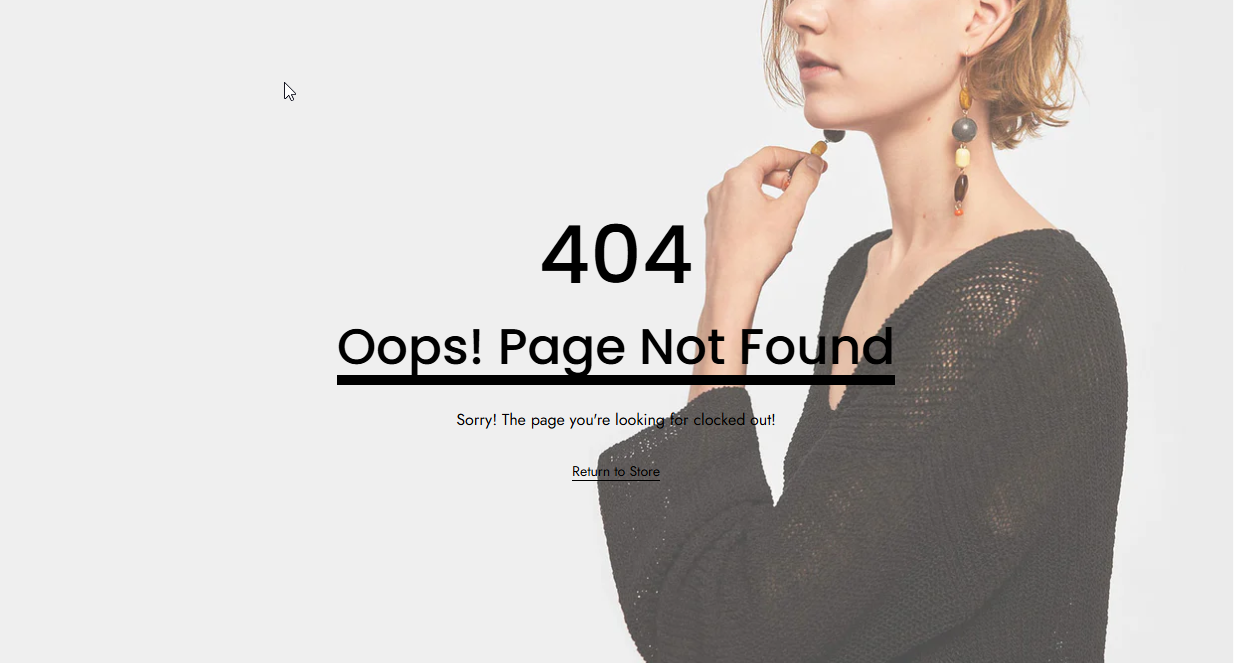
The **404 Page** appears when a visitor tries to access a page that doesn’t exist or has been moved. It informs users that the requested content cannot be found and helps guide them back to active parts of the website.
You can customize its message, design, and links to maintain brand consistency and improve user experience.
### How to custom 404 Page?
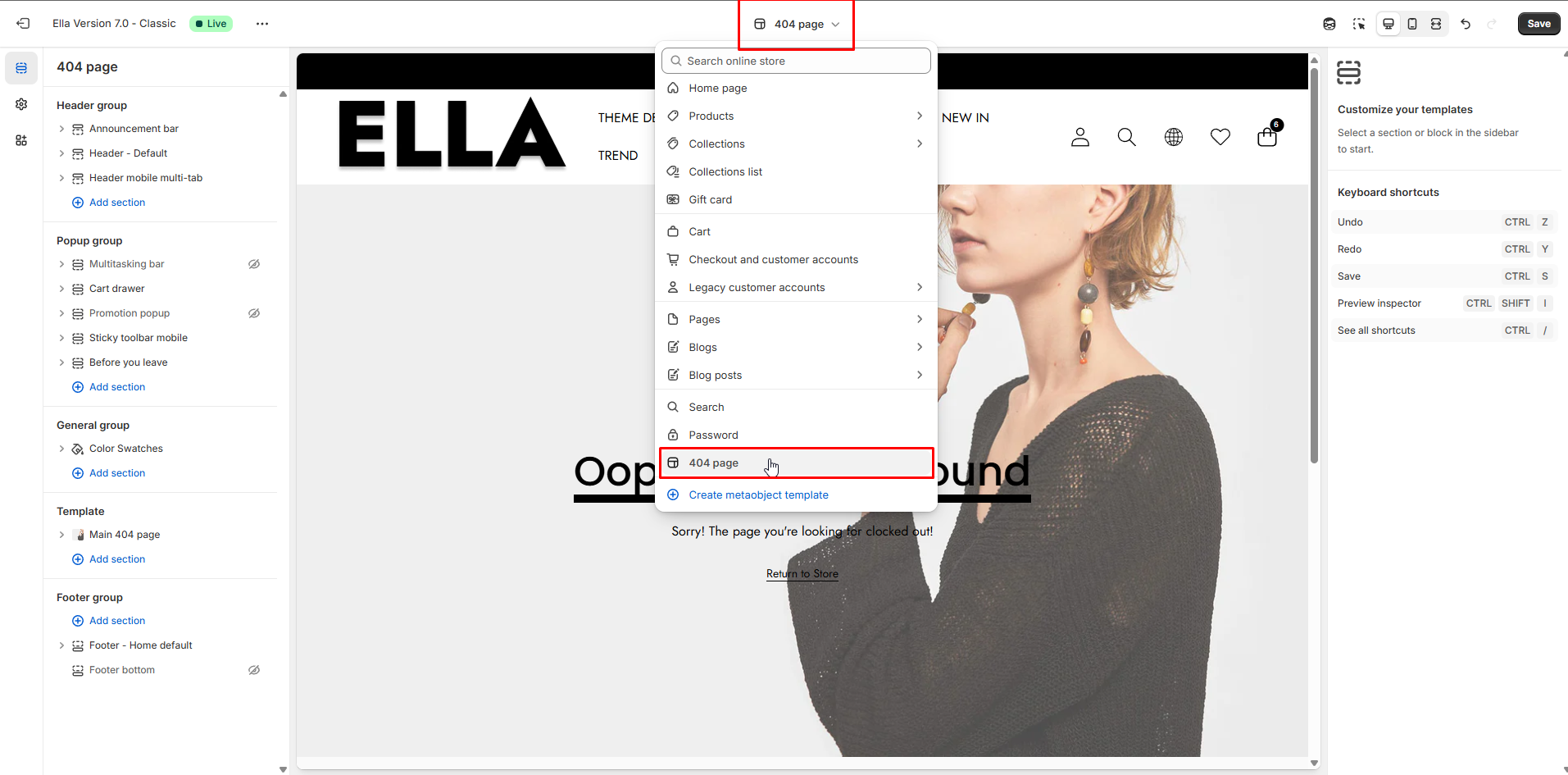
1. From your Shopify admin, go to **Online Store** **->** **Themes**.
2. Find the theme that you want to edit, and then click **Customize**.
3. Choose **404 page** from the dropdown window**.**
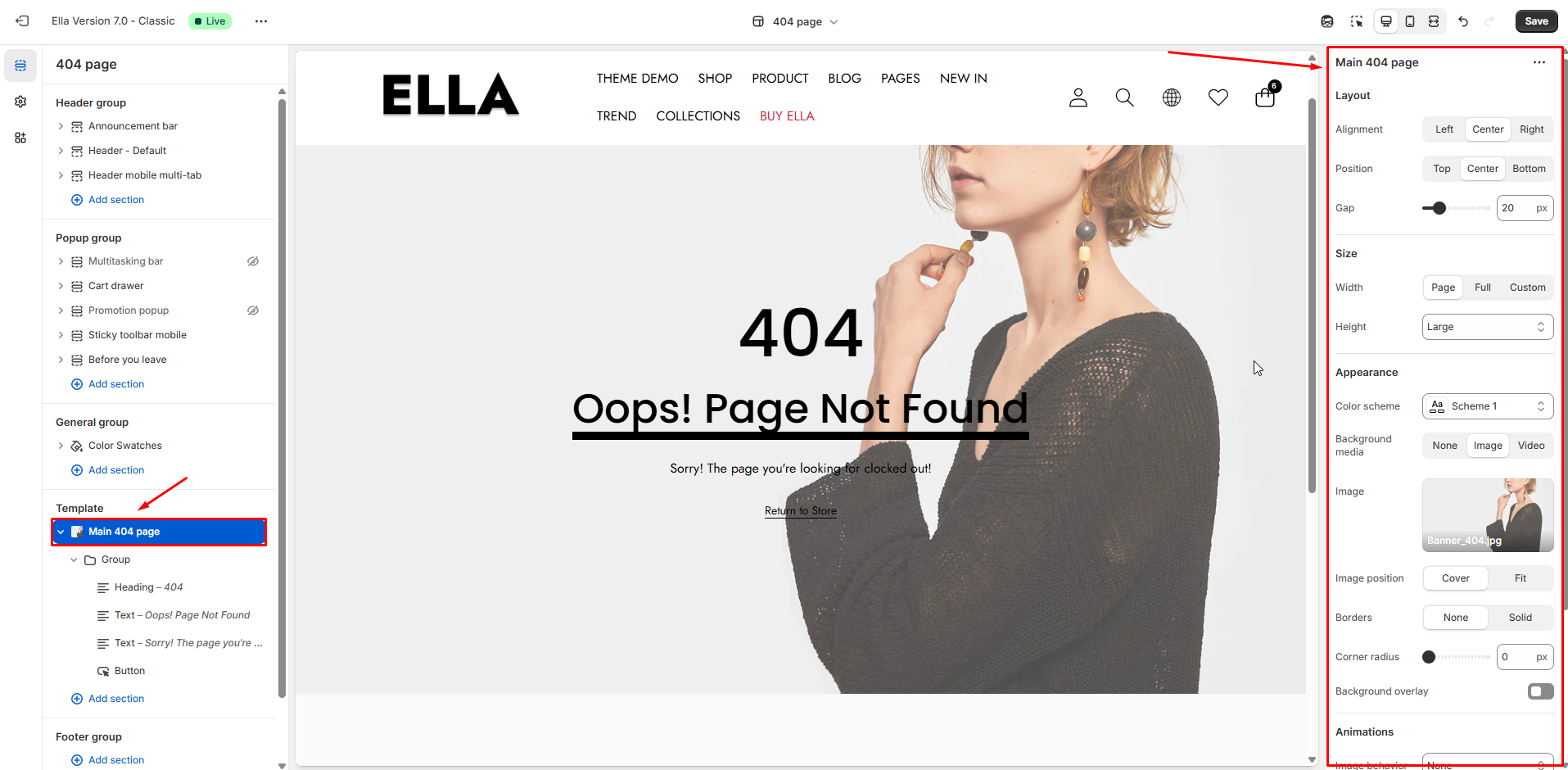
4. You can add your customizations in the template section
### Block Supported
* `@theme` - All theme blocks
* `@app` - All app blocks
* `group` - Group blocks for content organization
* `_divider` - Custom divider blocks
### Main 404 Page - Settings Guide
#### Layout
| Setting | Type | Description | Visibility |
| -------------------- | ---------- | --------------------------------------------------------------------- | -------------- |
| Content Direction | select | Layout flow direction for content (vertical). | Visible always |
| Horizontal Alignment | select | Horizontal alignment of content (Left/Center/Right). | Visible always |
| Vertical Alignment | select | Vertical alignment of content within the section (Top/Center/Bottom). | Visible always |
| Gap | range (px) | Space between stacked elements in the content area. Default: 12px. | Visible always |
#### Size
| Setting | Type | Description | Visibility |
| ----------------- | -------------------------------------------------------- | -------------------------------------------------------------------------------------- | ----------------------------- |
| Width | select (Page, Full, Custom) | Section width mode: constrained page, full-width edge-to-edge, or custom page width. | Visible always |
| Custom Page Width | range (px) | When Width is Custom, set the page content width in px. Default: 1570px. | Visible when Width is Custom |
| Height | select (Auto, Small, Medium, Large, Full-screen, Custom) | Predefined section height presets or Custom for custom min-height. | Visible always |
| Custom Height | range (%) | When Height is Custom, set min-height as a percentage of viewport (svh). Default: 50%. | Visible when Height is Custom |
#### Appearance / Background
| Setting | Type | Description | Visibility |
| ------------------------- | --------------------------- | ----------------------------------------------------- | -------------------------------------- |
| Color Scheme | color\_scheme | Select the section color scheme (theme presets). | Visible always |
| Background Media | select (None, Image, Video) | Choose a background media type for the section. | Visible always |
| Video | video selector / url | Video source used when Background Media is Video. | Visible when Background Media is Video |
| Video Position | select (Cover, Contain) | How the background video scales/positions. | Visible when Background Media is Video |
| Background Image | image\_picker | Background image used when Background Media is Image. | Visible when Background Media is Image |
| Background Image Position | select (Cover, Fit) | How the background image scales/positions. | Visible when Background Media is Image |
#### Border & Overlay
| Setting | Type | Description | Visibility |
| ------------------ | -------------------------- | -------------------------------------------------------------------- | ------------------------------------------------------------------------ |
| Border | select (None, Solid) | Enable a simple border around the section. | Visible always |
| Border Width | range (px) | Border thickness (px). Default: 1px. | Visible when Border is not None |
| Border Radius | range (px) | Corner radius for the section border. Default: 0px. | Visible always |
| Background Overlay | checkbox | Toggle an overlay layer above the background media. | Visible always |
| Overlay Color | color (alpha) | Overlay color with alpha (opacity). Default: semi-transparent black. | Visible when Background Overlay is enabled |
| Overlay Style | select (Solid, Gradient) | Choose between solid overlay or gradient overlay. | Visible when Background Overlay is enabled |
| Gradient Direction | select (To Top, To Bottom) | Direction for the overlay gradient. | Visible when Background Overlay is enabled AND Overlay Style is Gradient |
#### Animations (background image only)
| Setting | Type | Description | Visibility |
| -------------- | -------------------------------------------------- | -------------------------------------------------------- | -------------------------------------- |
| Image Behavior | select (None, Ambient movement, Zoom-in on scroll) | Decorative image animation applied to background images. | Visible when Background Media is Image |
#### Padding
| Setting | Type | Description | Visibility |
| -------------- | ---------- | -------------------------------------------------- | -------------- |
| Padding Top | range (px) | Top spacing for the section (px). Default: 0px. | Visible always |
| Padding Bottom | range (px) | Bottom spacing for the section (px). Default: 0px. | Visible always |