# Frequently Bought Together Function (Bundle Products)
There are 2 options for you to choose which products are used in the Frequently Bought Together:
* Using Related Product.
* Using Product ID.
**01. Using Related Product**
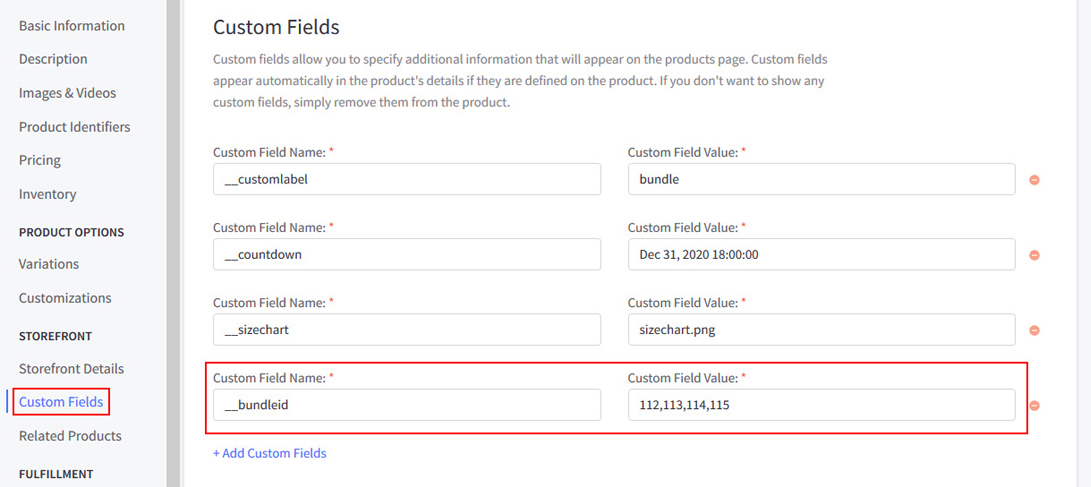
To show **Frequently Bought Together** on Product Detail, In the Admin panel -> Go to **Products** -> **View** -> click button **Choose a product you want to apply Frequently Bought Together** -> **Custom Fields**.
To pull products from your Related Products, create the following custom field:
\+ Custom Field Name: **\_\_bundle**
\+ Custom Field Value: **related products**
{% hint style="info" %}
\* Note:
* The first product will always be the Product of the page you are on. The next products will be pulled from this product's first Related Products.
* You can either let BigCommerce select a Product's Related Products randomly or you can manually choose which products to display.
* Refer this link: https://support.bigcommerce.com/s/article/Setting-Up-Related-Products for your reference about Related Products.
{% endhint %}
**02. Using Product ID**
To pull products from your Related Products, create the following custom field:
\+ Custom Field Name: **\_\_bundleid**
\+ Custom Field Value: **the number of your product id**. Example: 100,101,102 (they are Product ID), use the comma to separate them
**How do I get Product ID of a product?**
* Please follow this instruction image:
{% hint style="info" %}
When you are happy with your changes, don't forget click **Save** and **Publish** to repackage the edited theme.
{% endhint %}