> For the complete documentation index, see [llms.txt](https://halosoft.gitbook.io/bc-nimo-documentation/llms.txt). Markdown versions of documentation pages are available by appending `.md` to page URLs; this page is available as [Markdown](https://halosoft.gitbook.io/bc-nimo-documentation/home-decor/product-block-2.md).
# Product Block 2
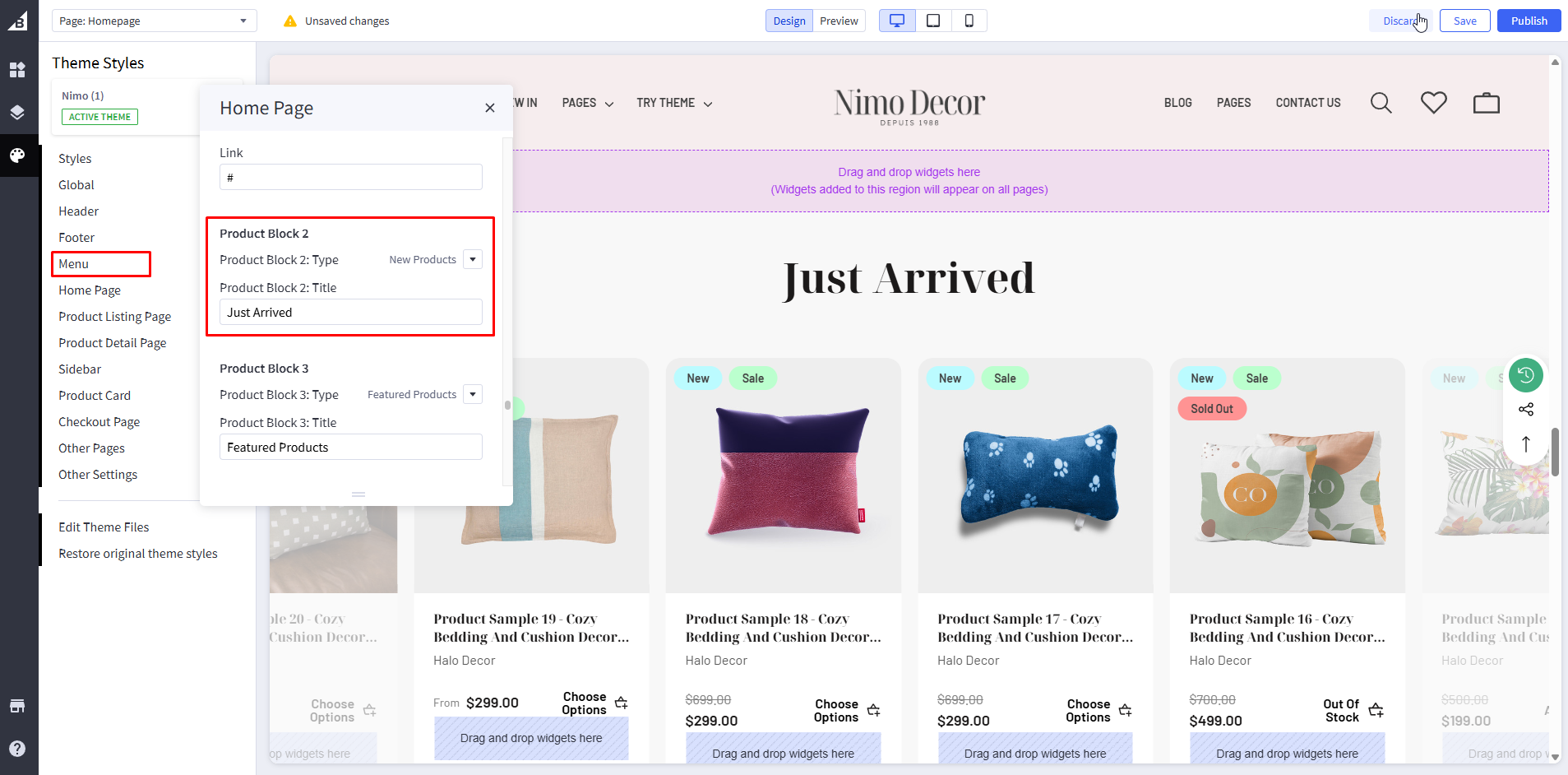
Product Block 2 is an additional product showcase section that provides flexibility to display a second collection of products on your homepage. This section works identically to Product Block 1, offering the same three display options: Featured Products, New Products, or Most Popular Products.
### **Setting Product Block 2**
Go to **Storefront** -> **My Themes** -> **Customize**. (If your store is a new store, you may need to go to **Channel Manager -> Themes -> Edit Theme**)
In the **Theme Editor** -> Go to **Home Page** / **Product Block 2**
**Configuration Settings:**
| Setting | Description | Options | Example | Required |
| -------------------------- | ----------------------------- | --------------------------------- | -------------- | -------- |
| **Product Block 2: Type** | Product collection to display | Don't Show / Featured / New / Top | "New Products" | Yes |
| **Product Block 2: Title** | Section heading text | Custom text | "New Arrivals" | Yes |
{% hint style="info" %}
When you are happy with your changes, don't forget click **Save** and **Publish** to repackage the edited theme.
{% endhint %}