> For the complete documentation index, see [llms.txt](https://halosoft.gitbook.io/bc-nimo-documentation/llms.txt). Markdown versions of documentation pages are available by appending `.md` to page URLs; this page is available as [Markdown](https://halosoft.gitbook.io/bc-nimo-documentation/home-decor/product-block-1.md).
# Product Block 1
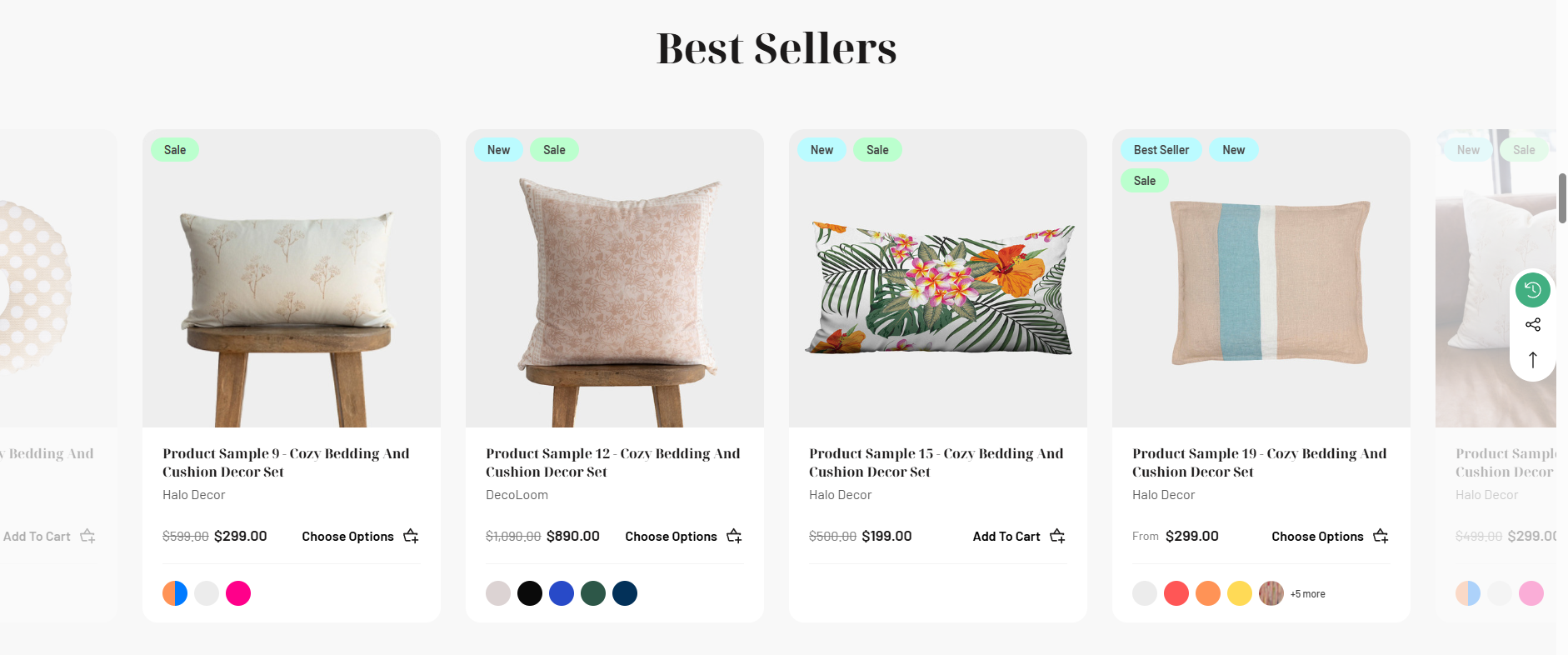
The Product Block section is a flexible, dynamic product showcase that displays curated product collections on your homepage. This versatile section allows you to choose between three product types: Featured Products, New Products, or Most Popular (Top Sellers).
### **Setting Product Block 1**
Go to **Storefront** -> **My Themes** -> **Customize**. (If your store is a new store, you may need to go to **Channel Manager -> Themes -> Edit Theme**)
In the **Theme Editor** -> Go to **Home Page** / **Product Block 1**
**Settings Table**
| Setting | Description | Default | Options |
| -------------------------------- | -------------------------------- | -------------- | ---------------------------------------------------------------------- |
| **Product Block 1: Type** | Choose which products to display | | **Don't Show, Featured Products, New Products, Most Popular Products** |
| **Product Block 1: Title** | Section heading text | "Best Selling" | Custom text |
| **Product Block 1: Button Text** | "View All" button label | "View All" | Custom text (Layout 2 only) |
| **Product Block 1: Button Link** | Button destination URL | "/shop-all" | Any URL (Layout 2 only) |
{% hint style="info" %}
When you are happy with your changes, don't forget click **Save** and **Publish** to repackage the edited theme.
{% endhint %}