> For the complete documentation index, see [llms.txt](https://halosoft.gitbook.io/bc-nimo-documentation/llms.txt). Markdown versions of documentation pages are available by appending `.md` to page URLs; this page is available as [Markdown](https://halosoft.gitbook.io/bc-nimo-documentation/home-decor/featured-brands.md).
# Featured Brands
The Featured Brands section is a visually engaging showcase that highlights your store's brand partnerships and product manufacturers. This section displays brand logos or images in an attractive grid-based Swiper carousel with smooth animations and hover effects.
### **Setting Featured Brands**
Go to **Storefront** -> **My Themes** -> **Customize**. (If your store is a new store, you may need to go to **Channel Manager -> Themes -> Edit Theme**)
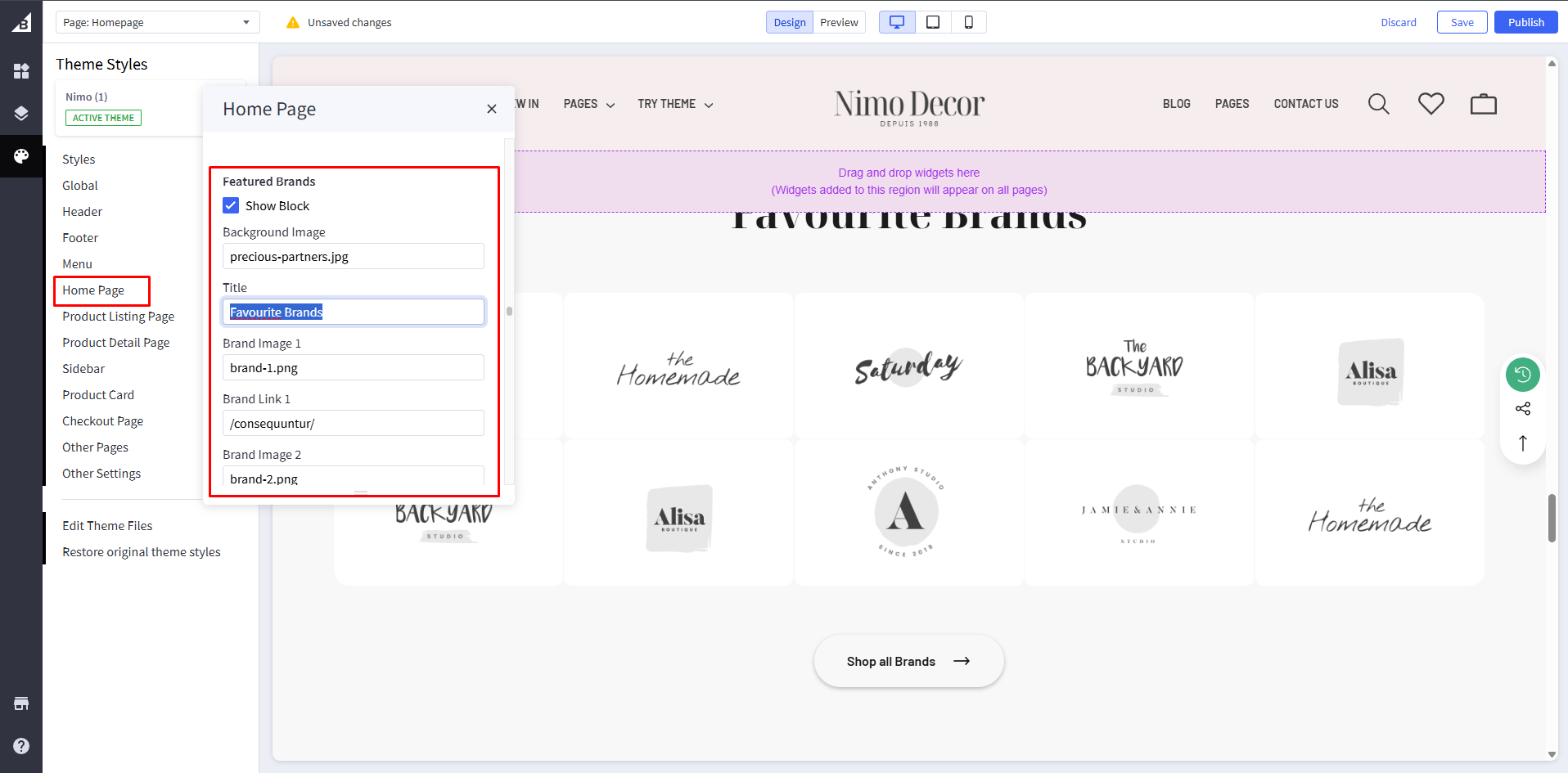
In the **Theme Editor** -> Go to **Home Page / Featured Brands**
**Global Configuration Settings:**
| Setting | Description | Example | Required |
| ------------------------ | ------------------------------------ | ----------------- | -------- |
| **Show Block** | Enable/disable the entire section | ✓ Checked | Yes |
| **Background Image** | Background image filename (optional) | "brands-bg.jpg" | No |
| **Title** | Section heading text | "Shop by Brand" | Yes |
| **View All Button Text** | Button label text | "View All Brands" | Yes |
| **View All Button Link** | Button destination URL | "/brands" | Yes |
**Configure Brand Slots (1-10)**
**Layout 1:** Supports brands 1-5 **Layout 2:** Supports brands 1-10
**For Each Brand (1-10):**
| Setting | Description | Format | Example |
| -------------------- | -------------------------------- | ------------ | --------------- |
| **Brand Image \[X]** | Brand logo image filename | filename.png | "nike-logo.png" |
| **Brand Link \[X]** | Link to brand page or collection | URL path | "/nike" |
{% hint style="info" %}
When you are happy with your changes, don't forget click **Save** and **Publish** to repackage the edited theme.
{% endhint %}